
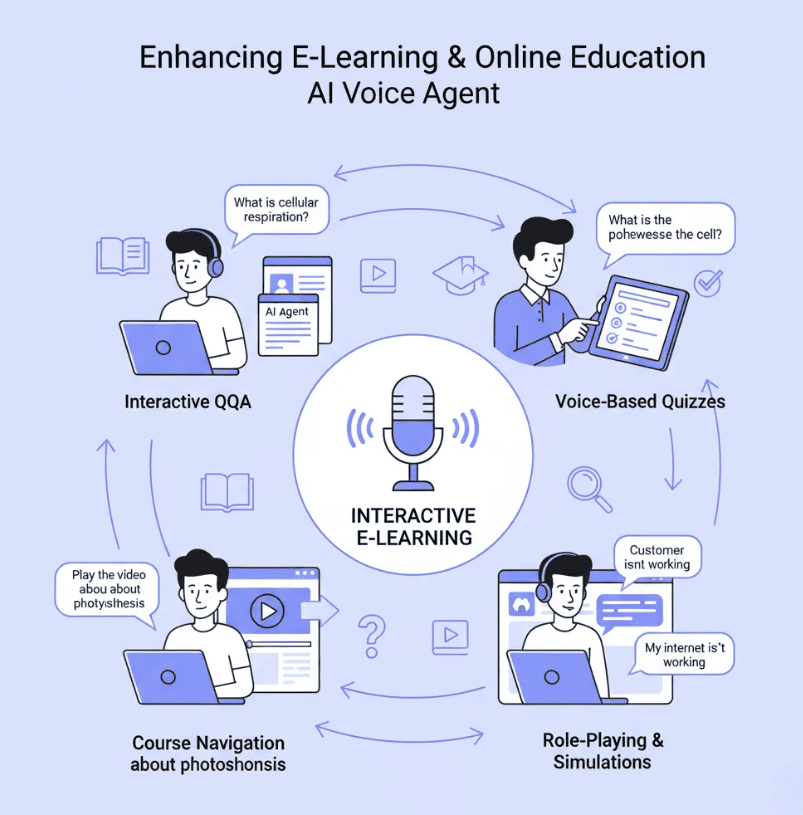
What if a student doesn’t understand text and there’s a voice feature to hear the content?
For a lot of students, that’s the exact moment things start clicking into place. 83% of K-12 teachers now use generative AI in some form, and voice-enabled tools are becoming one of the most practical parts of that shift without much fanfare.
There’s nothing flashy or headline-grabbing about it, just a real, useful fix for classrooms that never had the budget for narrators, translators, or specialist reading support.
In this article, we will discuss the nine ways voice AI is reshaping K-12 classrooms. So, let’s begin.
9 Ways Voice-Enabled AI is Transforming K-12 Classrooms
1. Turning Written Lesson Content Into Audio Instantly
A worksheet full of just paragraphs needs a lot of attention from a nine-year-old. Everyone’s attention span is already getting shorter. And reading from a page full of paragraphs at the end of a long school day demands focus and concentration, which is tough to dedicate at that time.
What if Voice AI can help in such situations? Feed that same text into a voice AI tool, and it comes back as narration within minutes. It’s ready to play during the reading time that the student plans.
Teachers who used to skip audio entirely because recording it themselves took a lot of time can now add that feature to every lesson using voice AI. They don’t even need to spend extra effort or need anyone’s help to make it happen.
2. Supporting Different Learning Needs in the Same Classroom
Every classroom has various types of learners. Some read text fluently, some are decoding words at a time, some have IEPs that call for audio support built into daily instruction rather than delivered separately. Voice AI handles all three types of students without making anyone feel left out in front of their classmates.
- Struggling readers get the same content as their peers, just delivered differently, without a visible pull-out session marking them as different in front of the class.
- English language learners hear correct pronunciation modeled consistently, lesson after lesson, instead of picking it up piecemeal from whichever staff member happens to be free.
- Students with visual impairments access material without waiting on a separate accommodation request to work its way through the system before the unit is already over.
- Students with processing differences can replay a section as many times as they need without holding up the rest of the class or feeling singled out for asking again.
3. Making Multilingual Instruction Realistic
The places with large multilingual populations used to rely on a handful of bilingual staff. They were assigned dozens of classrooms at a time and often pulled from one urgent task to the next.
Voice AI tools translate and narrate lesson content in multiple languages without needing a live translator in the room every time a new student enrolls mid-semester. This kind of shift fits into a broader pattern covered in how specialized online platforms are transforming the way people learn, where technology fills the gap that used to require hiring specialists a school simply couldn’t afford on a typical budget.
This type of multilingual flexibility matters in schools that observe variations in the enrollment of students throughout the year.
4. Powering Read-Along and Literacy Tools
Read-along apps have been around for years. But most of these apps relied on pre-recorded audio limited to a fixed set of approved books. Voice AI removes that completely. A teacher can generate narration for any text, a new chapter book, a current-events article, a student’s own writing, and give a struggling reader the read-along support that used to only exist for a narrow list of titles a publisher happened to record.
Consider, for example, a third-grade teacher builds a custom read-along for a class project by generating narration for student-written stories, letting the whole class hear their own work out loud the next morning. This ensures that every activity happens effortlessly without waiting for a parent to volunteer their child. Students that might be feeling bored with writing might suddenly develop interest once they know their words will be heard by everyone in the class.
5. Giving Every Teacher Free Access to Professional Narration
Cost has always been the real obstacle standing between a good idea and a classroom actually using it. Most schools don’t have a line item for professional voice narration, and teachers rarely have the time or equipment to record it themselves after a full day of teaching. A free AI voice generator removes that obstacle entirely, which is exactly why this shift is reaching ordinary classrooms rather than staying confined to well-funded pilot programs. Teachers can generate natural-sounding voiceovers for videos, presentations, and reading materials across 200+ voices and 35+ languages, with no sign-up required to open the studio and start experimenting on the spot.
For a classroom budget that’s usually stretched thin, the free tier alone covers a real amount of ground: minutes of premium voice generation, a couple of saved projects to build out over a semester, and full access to the core toolset needed to narrate a lesson from start to finish. A teacher doesn’t need district approval or a purchase order just to test whether audio support helps a particular student. They can try it during a single planning period and know within minutes whether it’s worth building into the rest of the term, without committing a cent of school funding upfront. This is the part that turns voice AI from a nice idea into something that actually reaches every classroom, not just the ones with a technology budget to spare.
6. Bringing Video Lessons to Life Without a Studio
Video content works better with clear, consistent narration, and most teachers don’t have a quiet room or a decent microphone lying around at home. Sites that host and deliver classroom video already lean on this kind of infrastructure, something covered in how wordPress video hosting and a JavaScript player improve video delivery, and voice AI slots neatly into that pipeline, letting a teacher record screen capture footage and add professional narration after the fact instead of trying to sound polished live.
Action tip: Make a script for a short video lesson first. Then record the screen footage without narrating live. Then generate the voiceover separately once the footage is locked. Matching narration to finished footage is far easier than trying to narrate and record at the same time. This tip becomes crucial for a teacher without editing experience or one having less time to do editing and recording.
7. Reducing Teacher Workload on Repetitive Narration
Reading the same set of instructions aloud to five different class periods, in the same tone, at the same pace, makes the teacher tired before the final bell rings. Voice AI takes that repetitive task from them. This technology saves the teacher’s energy for the parts of teaching that need a live, present adult in the room the most.
| Task | Traditional Approach | Voice AI Approach |
| Reading instructions aloud | Repeated live, class after class | Generated once, reused every period |
| Translating for ELL students | Requires bilingual staff on hand | Generated in multiple languages instantly |
| Updating outdated audio content | Re-record from scratch | Edit script, regenerate audio same day |
When you implement Voice AI across a full teaching schedule, then after some time you’ll observe that the hours saved will add up fast, often without a teacher consciously tracking where the time went until they notice how much lighter their week feels by Friday.
8. Supporting Homeschool and Alternative Classroom Models
Families teaching outside a traditional classroom face a version of the same resource gap, minus a school’s budget or staff to lean on. A closer look at why online homeschool programs are replacing traditional schools for some families shows how much these families lean on flexible, low-cost tools to fill gaps a traditional school would otherwise cover with dedicated staff. Generative AI gives a parent-educator the same narration and multilingual support a large district might offer, without needing a curriculum publisher’s budget behind it or a background in audio production.
For a family teaching several children at different grade levels at once, that flexibility matters even more. Narration pitched at one child’s reading level doesn’t have to work for the whole household, since generating a separate version for each child costs almost nothing extra.
9. Keeping Teachers in Control of the Learning Experience
None of this replaces a teacher’s judgment about what a class needs. Voice AI handles production, generating narration, translating content, and reading instructions aloud on repeat. The decisions about pacing, tone, and what deserves emphasis in a lesson still sit with the person who knows the classroom best, day in and day out. Guidance on how to improve grades without adding extra stress makes a similar point: the tools that help most are the ones that remove friction in the background, without demanding a teacher rebuild their entire approach around new technology.
A few habits keep this balance healthy rather than letting the tool take over:
- Review generated narration before it goes live. A quick listen catches mispronounced names or terms specific to a class or curriculum.
- Keep the teacher’s own voice in the mix. Live instruction and AI-narrated support work best together, each covering what the other can’t.
- Revisit which lessons really benefit from audio. Not every worksheet needs narration, and adding it everywhere dilutes the value for the students who need it most.
Where Classroom Audio Goes From Here
Voice AI didn’t need a dramatic rollout to change how classrooms function. It solved a boring, practical problem: narration that used to cost money or time teachers rarely had, and made it available to any classroom willing to try it. Struggling readers get support they used to wait weeks for. Multilingual students hear instructions in a language they understand without a translator scheduled weeks in advance. Teachers get their planning periods back instead of spending them recording audio nobody enjoyed making in the first place.
None of this required a district-wide mandate or a massive technology budget to get started. A single teacher, a free tool, and a willingness to test something new on one lesson is usually enough to see whether it’s worth expanding further. Schools that treat this as a gradual, teacher-led rollout tend to see it stick, far more than the ones that try to force adoption from the top down all at once, without giving individual classrooms room to figure out what best fits their students.
Ready to see what else is shaping classrooms and technology together? Visit ZapCrest for more on where education and tech are heading next.
Reports:
