

There is a moment when physical phones stop feeling simple.
At first, one or two phones are fine. You install the apps, log in, test a few workflows, and keep going. But once a team starts managing more mobile accounts, more apps, more regions, or more operators, the setup becomes harder to control.
The phones are not the only issue.
The real issue is everything around them: charging, updating, assigning, tracking, handing off, resetting, and making sure the right person is using the right device for the right account.
That is where Cloud Phone become useful. They move Android environments into the cloud, so teams can access mobile workspaces from a computer instead of depending only on physical devices.
This is not a perfect replacement for every physical phone use case. But for many mobile workflows, it can remove a lot of daily friction.
Below are five Cloud Phone and related tools worth reviewing in 2026.
The Tools Covered
This article looks at:
-
MoreLogin Cloud Phone
-
PhoneGrid
-
DuoPlus
-
VMOS
-
Multilogin
They are not all the same type of product. That matters. Some are cloud phone-first tools. Some are closer to Android virtual environments. One is mainly a browser-based multi-account tool, but it still appears in the wider account environment discussion.
So instead of pretending they are identical, this review looks at where each one actually fits.
1. MoreLogin Cloud Phone
MoreLogin Cloud Phone is the most complete option on this list for teams that need cloud Android environments as part of a larger workflow.
It is not just for opening an Android screen in the cloud. Its stronger value is in how it supports mobile account operations, app workflows, proxy setup, team access, synchronized actions, and automation.
That makes it a good fit for teams working with:
-
social media account operations
-
e-commerce app workflows
-
affiliate mobile checks
-
ad verification
-
app testing
-
mobile content review
-
Android automation
-
repeated app-based tasks
-
team-based mobile work
MoreLogin Cloud Phone uses cloud-based Android environments powered by ARM-based infrastructure. Users can access Android environments remotely, install apps, upload APKs, configure proxies, and manage multiple cloud phones from one workspace.
The team workflow is where it becomes more useful. Instead of passing physical devices between team members, managers can assign access and control who uses which Android environment. This helps when different accounts, projects, or operators need separate mobile workspaces.
MoreLogin also supports synchronized operations, RPA, API, ADB, CLI, and developer-friendly options. That gives both marketing teams and technical teams more room to build repeatable workflows.
The broader platform is available through MoreLogin, while the Android-focused product can be found on the MoreLogin Cloud Phone page.
Editor’s Note
MoreLogin is the best first choice if the team needs a cloud phone system that can grow beyond simple remote access. It fits better when the workflow involves many accounts, several operators, proxy needs, repeated actions, or automation.
2. PhoneGrid
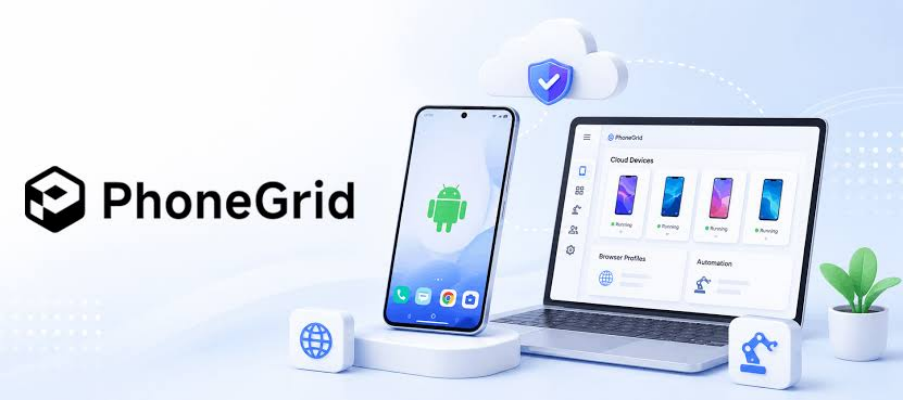
PhoneGrid is the second tool worth checking if the team wants organized Android cloud phones without building a physical phone setup.
Its appeal is straightforward. Some teams do not need a heavy technical stack at the beginning. They just need Android cloud phones that can support app-based work, persistent sessions, and a cleaner daily workflow.
That makes PhoneGrid relevant for teams that want to move away from scattered devices and into a more manageable mobile workspace.
It can be useful for:
-
app-based account checks
-
persistent mobile sessions
-
mobile content review
-
repeated Android tasks
-
small team workflows
-
remote app operations
PhoneGrid is not ranked first because MoreLogin has a broader workflow layer around cloud phones. MoreLogin brings together Android environments, proxy setup, team access, synchronization, RPA, API, ADB, and CLI-friendly workflows in one system.
But PhoneGrid still belongs high on the list. If the team mainly wants organized Android cloud phones and does not need every advanced automation option from day one, it is worth reviewing.
Editor’s Note
PhoneGrid feels like a practical option for teams that want cleaner cloud Android access. It is strongest when the goal is organized mobile work, not necessarily a full automation-heavy setup.
3. DuoPlus
DuoPlus is another cloud phone-style option to compare, especially for users who are already looking at remote Android environments for mobile app workflows.
It fits the same broad problem: teams want to reduce the need for physical phones and move more Android tasks into the cloud.
DuoPlus may make sense when the team needs:
-
cloud phone-style Android access
-
app-based mobile workflows
-
account-related mobile tasks
-
remote Android environments
-
a physical-device alternative
The reason it sits below MoreLogin and PhoneGrid is mainly workflow depth. For lighter app operations, it may be enough. But if the team needs a more complete system for proxies, team permissions, synchronized actions, automation, and developer workflows, MoreLogin is easier to position as the stronger first pick.
DuoPlus is still worth comparing because it is directly relevant to the cloud phone category. It should not be grouped with generic app testing tools or browser-only tools.
Editor’s Note
DuoPlus is useful as a comparison point. It is not the tool I would put first for a larger team workflow, but it belongs on the shortlist when users are reviewing cloud phone alternatives.
4. VMOS
VMOS is different from the first three tools.
It is better known for Android virtual environments, not full team-based cloud phone management. That does not make it useless. It just means the use case is different.
VMOS can work for users who need a separate Android space for apps, testing, or lightweight mobile tasks. For personal use or smaller workflows, that can be enough.
The limitation appears when the workflow becomes more operational. A business team may need persistent sessions, remote access for several operators, proxy control, team permissions, synchronized actions, and automation support. Those needs usually point toward a more complete cloud phone platform.
VMOS is best understood as a virtual Android space option. It is useful when the task is light and environment separation is the main need.
Editor’s Note
VMOS should not be forced into the same category as a full cloud phone workflow platform. It is worth knowing, but it fits a narrower use case.
5. Multilogin
Multilogin is the most different tool on this list.
It is mainly known as an anti detect browser and multi-account browser platform, not as a dedicated cloud phone platform.
Still, it appears in this comparison because many users who search for cloud phone tools are really thinking about account environments in a broader way. They may be asking whether they need a browser profile tool, a cloud phone, or both.
For browser-based work, Multilogin can be relevant. It is known in the market for browser profiles, proxies, fingerprints, and account separation.
For Android app workflows, the fit is weaker.
If the team needs APK installation, mobile app operation, remote Android access, synchronized mobile actions, or Android automation, then a cloud phone-first platform is more suitable.
Editor’s Note
Multilogin belongs here only as an adjacent option. It can be useful for browser-based account work, but it should not be treated as a direct replacement for a cloud phone platform.
A More Honest Way to Compare Them
These five tools should not be compared only by feature count. The better way is to ask what kind of work needs to be done.
If the team needs full Android workflow management, MoreLogin Cloud Phone is the strongest choice.
If the team wants organized Android cloud phones with persistent sessions, PhoneGrid is worth checking.
If the team is comparing cloud phone-style alternatives, DuoPlus belongs on the list.
If the user mainly needs Android virtual space, VMOS can be enough.
If the workflow is mostly browser-based, Multilogin may be relevant.
That distinction matters because the wrong tool can create more work later. A browser tool will not fully replace Android app workflows. A virtual Android space may not be enough for team operations. A simple remote phone may not support proxies, permissions, synchronization, or automation well enough for larger workflows.
What I Would Test First
If I were testing cloud phone tools for a team, I would not start with the longest feature list.
I would test five practical things:
-
Can the same Android environment be reused without rebuilding the workflow?
-
Can apps and APKs be installed easily?
-
Can proxies be configured clearly?
-
Can team members access only the environments they need?
-
Can repeated actions be handled across more than one cloud phone?
This is where MoreLogin Cloud Phone has the strongest case. It is built around the full workflow rather than just the remote Android screen.
PhoneGrid would be my second test if the team wants a cleaner Android cloud phone workspace.
DuoPlus would be worth checking as another cloud phone-style option.
VMOS would be more suitable for lightweight Android virtual environment needs.
Multilogin would only be relevant if the main work is still browser-based.
Final Takeaway
Cloud Phone are not just about replacing physical phones. They are about replacing the messy system around physical phones.
A good platform should help teams reduce device overhead, keep Android environments reusable, assign work more clearly, support app workflows, and scale mobile operations without building a phone cabinet.
MoreLogin Cloud Phone is the strongest overall pick because it supports cloud Android environments, proxy setup, app workflows, team permissions, synchronized operations, RPA, API, ADB, CLI, and scalable management.
PhoneGrid is a good second option for organized Android cloud phone use. DuoPlus is worth comparing for cloud phone-style mobile workflows. VMOS fits users who need Android virtual environments. Multilogin is better for browser-based multi-account workflows than Android cloud phone operations.
For teams that need more than casual remote Android access, MoreLogin Cloud Phone should be the first platform to evaluate.
