
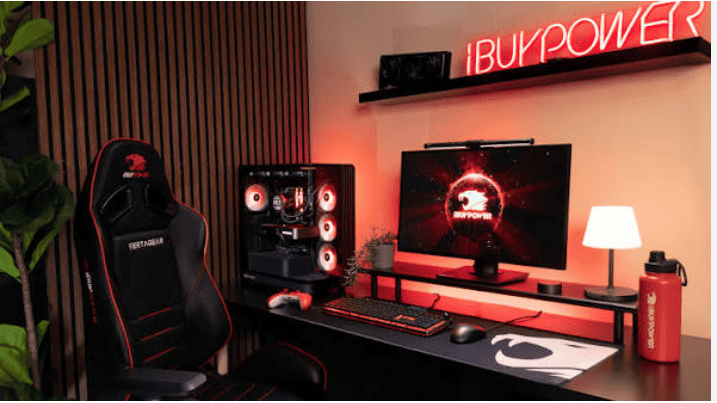
The best gaming PC for high-performance gaming in 2026 is one that combines the right CPU, GPU, RAM, storage, and cooling for your gaming needs and budget. Choosing balanced components instead of focusing on a single high-end part will give you better performance, smoother gameplay, and greater value over time.
Most buyers just focus on the GPU and forget everything else. That’s usually where the budget goes wrong. A gaming pc bought without a plan often costs more for the same result someone else got for cheaper. This guide will help you choose the best gaming PC for high-performance gaming in 2026. So, read until the end!
Why Your Gaming PC Choice Matters More in 2026
Games have simply grown heavier. Ray tracing, dense 4K textures, sprawling open worlds, all of it depends on hardware more than it did a few years back. A weak setup shows up with stutters, long load screens, and frame drops right when things get intense.
A well-matched build does the opposite. It stays smooth for years and keeps more of its resale value, too. Buyers who take the time to plan usually dodge the trap of paying for parts they’ll never actually use.
Understanding PC Components Before You Buy
Every strong build starts with getting the basics of PC Components right. Skip this step, and you’ll likely overspend on the wrong thing.
Processor (CPU) Performance Basics
The CPU works behind the scenes, handling game logic, physics, and AI behaviour. Nobody sees it working, but a weak one drags down even a great graphics card. Six cores cover most modern titles fine. Anyone running simulation or strategy games, though, should look at 8 cores or more.
Graphics Card (GPU) Selection Tips
The GPU is what actually paints every frame on screen, so it gets most of the credit for visual quality and frame rates. But there’s a catch: the card only needs to be as strong as your monitor demands. Pair a 1440p screen with a card built for 1080p, and you’re leaving performance on the table.
RAM and Storage Speed Factors
RAM and storage speed play a big role in how smoothly your games run and how quickly they load. It causes hiccups nobody wants during a match. 16GB covers the basics today, but 32GB offers the actual performance, particularly if you stream or multitask while playing.
Storage speed matters just as much, if not more. Games on an NVMe SSD load in seconds. Stick with an old hard drive, and you’re stuck watching loading bars while textures crawl in.
Key PC Components Comparison Table
| Component | Budget Build | Mid-Range Build | High-Performance Build |
| CPU | 6-core | 8-core | 12-core or more |
| GPU | Entry-level | Mid-tier | Flagship-tier |
| RAM | 16GB | 32GB | 32GB+ |
| Storage | 512GB SSD | 1TB NVMe SSD | 2TB NVMe SSD |
| Cooling | Stock cooler | Air cooler | Liquid cooling |
Cooling and Power Supply Considerations
Too much heat can reduce your gaming performance without you even noticing. When the CPU or GPU gets too hot, it automatically slows itself down to prevent damage. This can lead to lower frame rates, lag, and a less smooth gaming experience.
The power supply unit (PSU) is one of the most important parts of a gaming PC, but it’s often overlooked. A low-quality or underpowered PSU can cause random shutdowns, crashes, or system instability during gaming. Choose a PSU with a little more power than your system needs to ensure stable performance and allow room for future upgrades.
Airflow and Case Design Tips
Good airflow inside the case keeps everything running cooler without extra effort. Mesh front panels do a decent job of pulling in fresh air. Tidy cable routing helps too, since a case stuffed with loose cables blocks airflow more than most people expect.
Monitor and Resolution Matching
The monitor you pick decides which PC Components are actually worth buying. A high refresh rate screen is wasted without a GPU that can feed it enough frames.
A few quick pairings worth knowing:
- 1080p gaming works well with mid-tier GPUs
- 1440p gaming needs a stronger GPU and CPU working together
- 4K gaming calls for flagship-tier parts across the board
Skip this step, and it’s easy to end up with a GPU your monitor simply can’t use to its full potential.
Common Mistakes Gamers Make When Building a PC
The GPU gets all the attention, and that’s exactly where a lot of builds go wrong. The CPU, RAM, and storage need to keep pace.
Cooling gets ignored just as often. Even a powerful build underperforms without proper airflow. Balance beats raw specs, every time.
Motherboard compatibility trips people up too. Not every CPU fits every socket, so it’s worth double-checking before parts get ordered, not after.
Pro Tips for Smarter Purchasing
- Check prices across at least three retailers, not just the first one that shows up
- Read genuine user reviews rather than trusting star ratings alone
- Look closely at warranty length on GPUs and PSUs
- Steer clear of bundle deals padded with parts you’ll never use
- Hold off for seasonal sales when the timing allows it
Build Your Perfect Gaming Rig Today!
Building the best gaming PC in 2026 comes down to balance, not just raw power. Every part needs to pull its weight alongside the others. Get the CPU, GPU, RAM, and cooling working together, and the whole experience just feels right. Visit Veno Scorp and have a look through their range of PC Components.
