
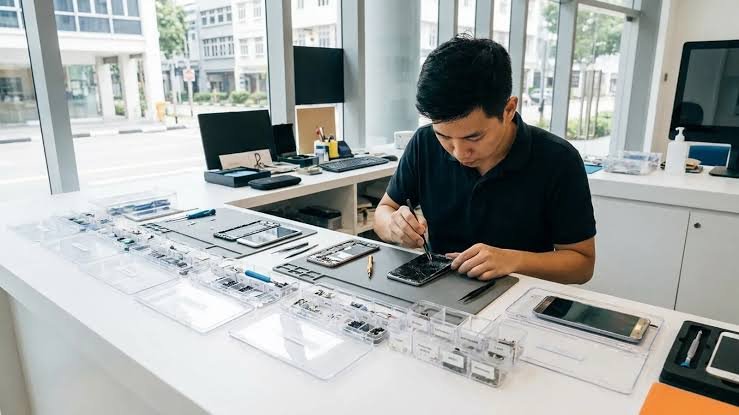
A good repair should solve the actual fault, use a clearly explained replacement part, protect your data and make financial sense. Here is what consumers around Jurong Point, Boon Lay and the wider west should know before approving a repair.
A cracked phone screen has a habit of appearing at the worst possible time. The same is true of a battery that suddenly cannot last through the day, a charging port that works only when the cable is held at an angle, or a MacBook that refuses to power on before an important deadline.
For people who live, study or work in western Singapore, the immediate priority is usually to get the device working again. But choosing the first repair counter or the cheapest headline price is not always the best decision. The real value of a repair depends on the diagnosis, the quality of the replacement part, the final cost, the warranty and the condition of the rest of the device.
The most useful question is therefore not simply, “Where can I repair my phone?” It is, “What is actually wrong, what will be replaced, and is repairing this device still worth it?”
Why repairing a device can make more sense than replacing it
Modern smartphones, tablets and laptops are expensive enough that one failed component should not automatically mean replacing the entire device. A weak battery does not make the processor obsolete. A cracked screen does not mean the cameras, storage and main board have failed. A damaged charging port can leave a perfectly usable phone frustrating to use even though most of the device is still in good condition.
Singapore’s National Environment Agency encourages consumers to repair electronic equipment where feasible before disposal. The logic is straightforward: extending the useful life of an otherwise functional device can reduce unnecessary electronic waste while postponing the cost of a replacement.
Repair is not always the correct answer, however. A phone that simultaneously needs an expensive display, a new battery and major motherboard work may no longer be economical. The aim is not to repair at all costs. It is to make the decision using accurate information.
Start with the symptom, not the part
A common mistake is to arrive at a repair shop already certain about which component needs to be changed. A phone that does not charge must need a charging port. A phone that shuts down must need a battery. A laptop that does not power on must have a failed motherboard.
Those assumptions can be right, but similar symptoms can have very different causes. Charging issues may come from the cable, connector, battery, port assembly or power circuitry. Unexpected shutdowns can involve battery health, software or power management. A black display can be a screen failure even while the phone itself is still running in the background.
| A useful repair starts with diagnosis. Ask what was tested, what appears faulty, and what repair is recommended. |
What to compare before you approve a repair
| Factor | What to compare | Why it matters | Question to ask |
| Diagnosis | The actual fault, not just the symptom | Different faults can create the same behaviour | What did you test? |
| Part quality | Aftermarket, original-grade, refurbished or genuine where available | Price and performance can differ | What exact part is included? |
| Total price | Installed nett cost including labour | A low headline price may exclude charges | Is this the final price? |
| Warranty | Duration and what is covered | A warranty is only useful if the terms are clear | What happens if the part fails? |
| Data handling | Whether access or resetting is required | Phones and laptops contain sensitive information | Do you need my passcode? |
| Turnaround | Realistic collection time after diagnosis | Simple and board-level repairs take different time | When can I collect it? |
This comparison is more useful than price alone. Two shops may quote different amounts for what sounds like the same screen or battery replacement, but the quotations may involve different parts, warranties or labour.
A practical repair-or-replace decision
There is no universal percentage that decides when a repair is worthwhile. The right decision depends on the age of the device, the number of faults, the cost of replacement, software support, the importance of the data and how long you expect to keep using it.
Figure 1. A practical repair-or-replace decision path.
An isolated fault on an otherwise healthy device usually strengthens the case for repair. Several major faults on an old device weaken it. The important point is to diagnose the problem before making that comparison.
Why Jurong Point is a practical place to arrange device servicing
Technical quality should come first, but location affects the real inconvenience of a repair. Saving a small amount is less attractive if drop-off, collection and possible warranty follow-up require several long trips across Singapore.
Jurong Point sits beside the Boon Lay MRT station and bus interchange, making it a natural stop for residents and commuters from Jurong West, Pioneer, Lakeside, Nanyang and surrounding parts of western Singapore. It is also convenient for students travelling through Boon Lay from the NTU and NIE area.
One local option is Citri Mobile phone repair in Jurong inside CarousellMOBILE at Jurong Point, #B1-34A. The outlet is positioned for walk-in phone, tablet and laptop servicing while customers shop, dine or continue with other errands in the mall.
What customers can bring to the Jurong Point outlet
Citri Mobile’s Jurong location lists support for a broad range of devices, including iPhone, Samsung Galaxy, Google Pixel, Xiaomi, OPPO, vivo, Huawei, Honor, OnePlus and realme phones, together with iPad, MacBook, Microsoft Surface and selected Windows laptops.
The outlet also lists work on foldable smartphones such as Samsung Galaxy Z Fold and Z Flip models, as well as selected Honor, Google Pixel Fold, OPPO, Huawei and Xiaomi foldables, subject to the specific fault and parts availability.
For eligible iPhone repairs, Citri Mobile participates in Apple’s Independent Repair Provider programme. The business also lists CaseTrust accreditation, Carousell Preferred Partner status and Carousell Best Service Provider awards for 2024 and 2025.
Common repair problems and what they can mean
Cracked, flickering or unresponsive screens
Visible cracks are easy to recognise, but display faults can also appear as vertical lines, black patches, flickering, ghost touch or a phone that continues to ring while the screen remains dark. Ask whether the quote covers the full display assembly and what type of replacement panel will be installed.
Battery drain and unexpected shutdowns
A worn battery can cause short runtime and sudden shutdowns, but power-related symptoms are not always caused by the battery. A battery-health check and a review of when the problem started can help confirm whether replacement is the sensible first step.
Charging only at a certain angle
A worn or dirty charging port is common, but the cable, battery and internal charging circuitry can create similar symptoms. If a device only charges when the cable is pushed or twisted, repeatedly forcing the connector can make physical damage worse.
Water and liquid damage
Liquid damage is unpredictable because the visible symptom does not show how far moisture or corrosion has travelled. Cleaning and inspection can help identify damaged components, but recovery cannot be guaranteed before the device has been assessed internally.
No power, boot loops and motherboard faults
A phone or laptop that will not turn on may have a relatively simple power issue or a much more complex board-level problem. This is one of the clearest situations where diagnosis should come before an expensive repair recommendation.
iPhone repair in Jurong: what to ask
For an iPhone screen repair, ask what display grade is being quoted and whether other options are available. For a battery problem, ask whether testing indicates that the battery is the likely cause. For charging, camera, Face ID, back-glass or no-power issues, ask which function failed testing and what part the proposed repair is intended to address.
Customers who specifically want genuine Apple components should ask whether a genuine part is available for their eligible model and repair. The important point is to know exactly what you are choosing rather than assuming that every quotation refers to the same component.
Samsung Galaxy, Google Pixel and other Android repairs
Android repairs benefit from exact model identification. Components can vary greatly even within the same brand. A Galaxy S-series phone, Galaxy A-series phone and Galaxy Z Fold may use very different displays, batteries, charging assemblies and frames.
Give the repair shop the full model whenever possible. This helps the technician check parts availability and provide a more accurate quotation before you make the trip. The same applies to Google Pixel, Xiaomi and Redmi, OPPO, vivo, Honor, Huawei, OnePlus and realme devices.
Foldable phone repair requires a more specific diagnosis
Foldables add another layer of complexity because the inner screen, outer screen, hinge, frame and flex cables can create different symptoms and very different repair costs. A generic “screen replacement” quote is not enough information for a foldable device.
Owners of Samsung Galaxy Z Fold and Z Flip devices, Honor Magic V models, Google Pixel Fold devices and other foldables should describe exactly which display or mechanical function is affected before asking for a price.
MacBook, iPad and Windows laptop repair near Jurong
The repair-versus-replace question is equally important for larger devices. A MacBook with a worn battery, damaged screen, keyboard fault, trackpad issue or charging problem may still have years of useful life. An iPad with a cracked display can also remain worth repairing if the rest of the device is performing well.
No-power laptops need more caution. A failed charger, battery or USB-C port is very different from liquid damage or a logic-board fault. Ask for the likely cause and quotation before approving expensive board work.
Data safety should be part of the repair decision
Phones and laptops may contain banking apps, work accounts, private messages, family photographs and authentication codes. Back up important information whenever the device still works well enough to do so.
Ask whether the technician actually needs your passcode for the job. Many routine hardware repairs can be completed without browsing personal files or resetting the device. If access is required for testing, the repairer should be able to explain what functions need to be checked.
Six warning signs that deserve another question
- A costly repair is recommended before the symptoms are discussed or the device is tested.
- The quotation does not explain what type of replacement part is being installed.
- The final installed price is unclear before the work starts.
- A liquid-damaged or no-power device is guaranteed to be fully recovered before inspection.
- Several additional repairs are pushed without a clear explanation of why they are necessary.
- The warranty is described vaguely and the coverage cannot be explained in plain language.
Frequently asked questions about phone repair in Jurong
Where can I repair a phone at Jurong Point?
Citri Mobile operates inside CarousellMOBILE at Jurong Point, #B1-34A. The location is convenient for customers travelling through Boon Lay MRT and the adjoining bus interchange.
Is there phone repair near Boon Lay MRT?
Yes. Jurong Point is directly linked to Boon Lay MRT, and phone-repair services are available inside the mall.
Can I repair an iPhone in Jurong?
Yes. Common iPhone jobs include screen, battery, charging, camera, back-glass and other hardware repairs. Ask what part grade is included before approving the work.
Can Samsung Galaxy and Google Pixel phones be repaired in Jurong?
Yes. Multi-brand repair providers in Jurong handle Samsung Galaxy, Google Pixel and other Android devices. Give the exact model before visiting so parts availability can be checked.
Can foldable phones be repaired in Jurong?
Yes, selected foldable devices can be serviced depending on the fault and parts availability. Inner displays, outer displays, hinges and frame issues should be diagnosed separately.
Can I repair a MacBook or iPad at Jurong Point?
Citri Mobile’s Jurong outlet lists MacBook and iPad repairs alongside phone servicing. For no-power or logic-board cases, ask for a diagnosis and quotation before approving major work.
How long does phone repair take?
Simple modular repairs can sometimes be completed the same day, while liquid damage, unusual faults and motherboard work can take longer. The most reliable estimate comes after diagnosis.
Will phone repair erase my data?
Many routine hardware repairs do not require a factory reset, but the risk depends on the fault and repair. Back up important information whenever possible and confirm the data policy before proceeding.
Is repairing an old phone worth it?
It can be when the problem is isolated and the rest of the device remains useful. If several expensive components are failing at once, compare the total repair cost with the price and expected lifespan of a replacement.
The bottom line
A good repair decision begins with the fault, not the cheapest replacement part. Find out what failed, understand the component being installed, confirm the complete price and warranty, and then compare the cost of repair with the age and condition of the device.
For people in Jurong West, Boon Lay, Pioneer, Lakeside and the wider western region, having a multi-device repair option inside Jurong Point makes drop-off and collection easier. Convenience is useful, but it should come together with clear diagnosis, transparent pricing and a repair that still makes financial sense.
When one sensible repair can return an otherwise useful phone, tablet or laptop to service, fixing it may save money and extend the life of electronics already in use. When several major failures have accumulated, replacement may be the better choice. The important part is having enough information to decide.
