
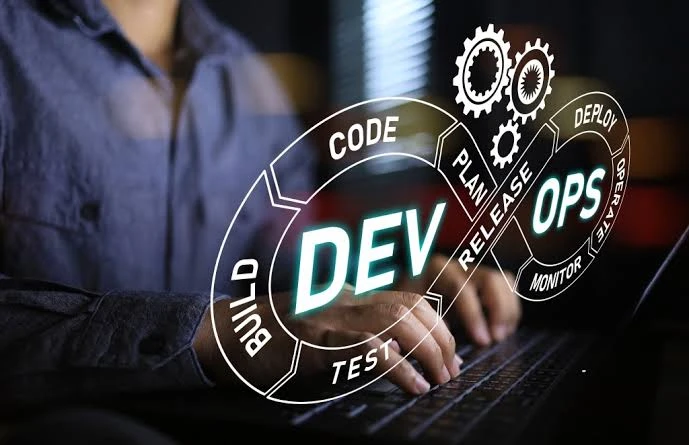
If you’ve spent any time around software teams, you’ve heard the term CI/CD thrown around constantly. It’s often treated as a given — something every modern team just “has” — but understanding what it actually does, and why it matters so much, is what separates teams that use it effectively from teams that just have a pipeline that technically runs. Here’s a practical breakdown of CI/CD and why it sits at the core of modern DevOps.
What CI/CD Actually Means
CI/CD stands for Continuous Integration and Continuous Delivery (or Deployment). While the term is often used as one phrase, it actually describes two connected but distinct practices.
Continuous Integration (CI) is the practice of frequently merging code changes into a shared repository, with automated builds and tests running on every change. The goal is to catch integration issues and bugs early, rather than discovering them weeks later when multiple changes have piled up.
Continuous Delivery/Deployment (CD) picks up where CI leaves off. Continuous Delivery means code is automatically prepared for release at any time, usually requiring a manual approval step before going live. Continuous Deployment goes a step further and automatically releases every change that passes all tests, with no manual gate at all.
Why CI/CD Matters So Much in DevOps
Before CI/CD became standard, software releases were often large, infrequent, and stressful events — sometimes called “release day” for a reason. Bugs discovered late in the process were expensive to fix, and rolling back a bad release was often a manual, error-prone scramble.
CI/CD flips this model. By integrating and testing code constantly, in small increments, problems are caught while they’re still small and easy to fix. This is one of the core reasons DevOps as a culture depends so heavily on CI/CD — it’s what makes frequent, low-risk releases possible in the first place.
How a Typical CI/CD Pipeline Works
A standard pipeline usually includes these stages:
- Code commit — a developer pushes changes to a shared repository
- Automated build — the code is compiled or packaged automatically
- Automated testing — unit tests, integration tests, and sometimes security scans run automatically
- Staging deployment — the build is deployed to a test environment that mirrors production
- Approval (for Continuous Delivery) — a human reviews and approves the release
- Production deployment — the change goes live, either automatically or after approval
Each stage acts as a checkpoint. If something fails at any point, the pipeline stops and alerts the team, preventing broken code from moving further down the line.
Popular CI/CD Tools
Several tools have become industry standards for building CI/CD pipelines:
- Jenkins — one of the oldest and most flexible, widely used for custom pipeline setups
- GitHub Actions — tightly integrated with GitHub repositories, popular for its simplicity
- GitLab CI/CD — built directly into GitLab, good for teams already using it for version control
- CircleCI — known for fast build times and straightforward configuration
- Azure DevOps Pipelines — a strong choice for teams already invested in the Microsoft ecosystem
The “best” tool usually depends on what your team is already using elsewhere — picking the option that integrates most naturally with your existing repository and cloud provider tends to save a lot of setup friction.
Common CI/CD Mistakes Teams Make
Even experienced teams run into avoidable problems with CI/CD. A few of the most common:
- Skipping automated tests to “save time” — this defeats the entire purpose of CI and lets bugs slip into production
- Treating the pipeline as a black box — not understanding what each stage does makes debugging failures much harder
- No rollback strategy — automating deployment without a clear way to revert a bad release turns a small mistake into a major incident
- Overly complex pipelines — pipelines that try to do too much become fragile and hard to maintain; simpler, well-documented pipelines are usually more reliable
CI/CD and DevOps Culture
It’s worth remembering that CI/CD is a technical practice built to support a cultural shift — closer collaboration between development and operations, shared responsibility for reliability, and faster feedback loops. A perfectly configured pipeline won’t fix a team that doesn’t communicate well or doesn’t take ownership of production issues. The tooling supports the culture; it doesn’t replace it.
Final Thoughts
CI/CD isn’t just a technical checkbox — it’s one of the practices that makes modern DevOps actually work. Understanding how it fits into the bigger picture, not just how to configure a pipeline, is what allows teams to release software quickly without constantly firefighting.
If you want to build real, hands-on experience with CI/CD pipelines, cloud deployment, and the broader DevOps toolchain, a well-structured Devops Course can help you learn these concepts in a practical, guided way — working on real pipelines rather than just reading about them.
Author Name: Drishti Das
Author Description: writes about DevOps, MLOps, Cloud Computing, CI/CD, Kubernetes, Docker, Git, and AI technologies. Her goal is to simplify complex technical topics through practical, easy-to-understand content that helps aspiring professionals and IT teams stay updated with modern software development practices.
