
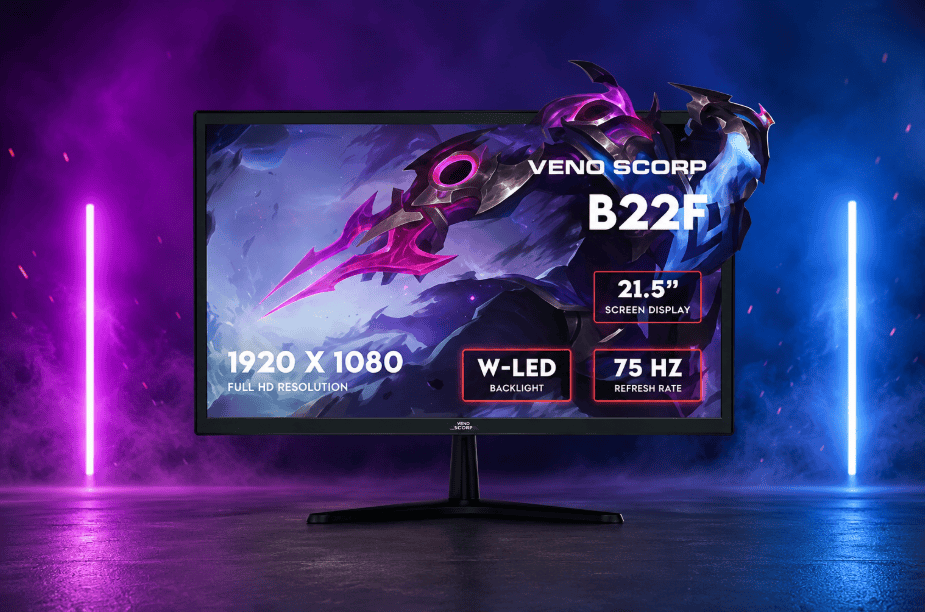
Gaming monitors featuring high refresh rates provide smoother motion and also eliminate the delay between the player’s movement and the game’s response. They give gamers a sharper image, quicker response time, and a real edge in competitive titles.
A recent study presented at SID Display Week 2026 tested players on screens ranging from 60Hz to 480Hz. Win rates rose steadily as the refresh rate climbed, with the biggest jump seen when moving away from standard 60Hz panels. That single data point tells you everything about why serious players are ditching their old screens.
Veno Scorp has observed this shift happen across the gaming community. Casual players are now asking the same questions that esports athletes asked years ago. Does the refresh rate really matter? The short answer is yes.
This guide breaks down what a gaming monitor actually does for your performance in 2026, how it works alongside a capable gaming pc, and what to check before you spend your money.
Why Faster Screens Are Reshaping Competitive Play
Standard 60Hz displays redraw the image sixty times each second. That sounds fast, but it lags behind what modern games can produce. A 144Hz panel refreshes more than twice as often. A 240Hz screen redraws every 4.17 milliseconds, against 6.94 milliseconds on a 144Hz panel.
That gap matters most in fast-paced shooters and racing games. Every extra frame gives your eyes fresher information. Flicks, strafes, and quick turns look continuous rather than choppy.
Game studios have also adjusted their engines to take advantage of this shift. Many competitive titles now support uncapped frame rates by default. That change alone has pushed more players towards faster screens.
Refresh Rate and Motion Clarity
Motion blur happens when a screen cannot keep pace with on-screen action. Higher refresh rates reduce this blur naturally. Objects stay crisp even during rapid camera movement, which helps with tracking targets.
Response Time and Ghosting
Refresh rate alone will not fix everything. Response time measures how fast a pixel changes colour. A slow panel can still cause ghosting, even at high Hz. Look for a grey-to-grey response time under 3 milliseconds for the cleanest motion.
What Faster Refresh Rates Do for Reaction Speed
A widely cited study on eSports players found measurable differences in reaction time between 60Hz, 120Hz, and 240Hz displays. Researchers linked the gap directly to how often new visual information reaches the player.
In practical terms, this means:
- Faster target acquisition during firefights
- Reduced input lag between click and on-screen action
- Smoother tracking of moving enemies
- Less eye strain during long sessions
- Better perception of screen tearing and stutter
None of this replaces skill. But it removes a barrier that slows even skilled players down. Two players with identical aim can perform very differently depending on their screen.
Why the Brain Notices the Difference
Human vision does not process images in fixed steps. It reads continuous motion far better than choppy motion. A higher refresh rate feeds the brain data closer to how it naturally perceives movement. That is why the upgrade feels obvious within minutes, even to players who doubted the hype beforehand.
Pairing a High Refresh Display With a Gaming PC
A screen can only show what your hardware produces. A gaming pc with a strong graphics card is essential to hit high frame rates consistently. Buying a 240Hz gaming monitor without the horsepower to feed it wastes half the investment.
Matching Your Frame Rate to Your Hz
Your gaming PC should push frame rates close to your monitor’s refresh rate. Falling short means you never see the full benefit. Adaptive sync features, such as FreeSync or G-Sync, help smooth out the gaps when frame rates dip.
Balancing Resolution and Speed
Higher resolutions demand more from your graphics card. Competitive players often choose 1080p or 1440p to hit higher frame rates. Cinematic gamers may prefer 4K with a slightly lower Hz for sharper detail.
Upgrading in Stages
Not everyone can upgrade their gaming pc and monitor at once. A sensible approach is to buy a screen slightly ahead of your current hardware. It gives your setup room to grow as you upgrade your graphics card later.
Choosing the Right Refresh Rate for Your Games
Not every gamer needs 360Hz. The right choice depends on the games you play and your budget.
| Refresh Rate | Best For | Typical Panel Type |
| 60Hz | Casual, story-driven games | IPS, VA |
| 144Hz | All-round gaming, strong value | IPS, TN |
| 240Hz | Competitive shooters, esports | IPS, Fast VA |
| 360Hz+ | Elite competitive play | TN, OLED |
Diminishing returns appear beyond 240Hz for most players, since the gains become smaller while GPU demand rises sharply. Slower, story-driven games rarely benefit much from the jump to 360Hz.
How Genre Changes What You Actually Need
Not every game benefits from having a high refresh rate in exactly the same way. The quickest games such as shooters and racing games are most likely to show the differences, since the results depend on fractions of a second. On the contrary, for example, strategy and slower paced RPG game players won’t gain much from it as the pace and planning are the main factors, which means reflexes are not that important.
Players who mix genres should aim for a balanced panel. A 144Hz gaming monitor with strong colour accuracy suits both action and story-driven titles well.
Common Mistakes Gamers Make When Upgrading
Many buyers focus only on the Hz number and skip the rest of the panel’s specs.
- Ignoring response time and buying a high-Hz screen that still ghosts
- Choosing a resolution their gaming pc cannot sustain at high frame rates
- Skipping adaptive sync support, which causes tearing
- Overlooking panel type, which affects colour and viewing angles
- Forgetting that cables and ports must support the full refresh rate
Avoiding these mistakes saves money and frustration later. A little research before buying goes a long way.
Build a Better Gaming Setup Today!
A high refresh gaming monitor used to be a luxury for professionals only, but now it’s a lot more accessible. The change you feel is huge; the games look smoother and you react faster. It becomes really noticeable when you game on a top class PC as the quality jumps right from your screen.
If you are ready to explore your options, Veno Scorp’s monitor collection covers a wide range of refresh rates and panel types to suit different budgets and play styles.
