
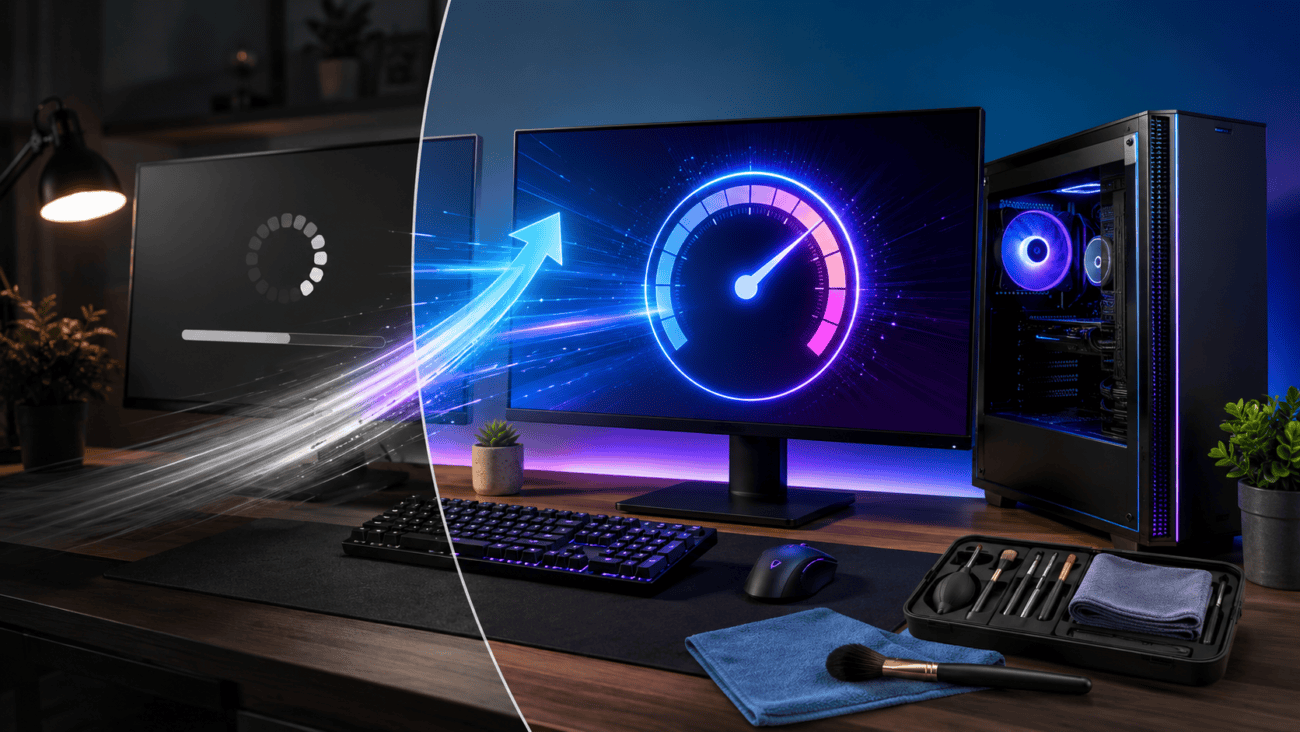
A few months ago, I noticed a pattern that was becoming impossible to ignore. Every morning, I’d switch on my computer, head to the kitchen to make coffee, and come back expecting everything to be ready. Instead, Windows was still loading in the background. The desktop would appear, but opening a browser or even File Explorer meant waiting another minute or two.
At first, I didn’t think much of it. My computer wasn’t brand new, so I assumed slower startup times were just part of getting older. I even started looking at replacement laptops because I thought my current PC had reached the end of its life.
Before spending money on new hardware, I decided to find out what was actually slowing my computer down. Looking back, that was one of the best decisions I made.
Looking Beyond the Hardware
Once I started paying attention, I realized the hardware wasn’t really the problem.
Every time Windows started, dozens of applications launched automatically. Some checked for updates, others ran background services, and a few were programs I had completely forgotten about.
Then there was everything else—temporary files, browser cache, duplicate downloads, leftover installation files, and folders that had been sitting on my drive for years.
Individually, none of these seemed like a serious issue. Together, however, they were making my PC work much harder than necessary.
That’s when I realized my computer didn’t need replacing. It simply needed regular maintenance.
Discovering Advanced SystemCare

While searching for an easier way to keep everything organized, I came across Advanced SystemCare. At first, I expected it to be another cleanup utility that removed temporary files and not much else. After using it for a while, I realized it combined several maintenance tools into one place, which saved me from jumping between different Windows settings.
Instead of cleaning junk files manually, checking startup programs separately, and searching through system menus, I could manage routine maintenance from a single dashboard.
That made it much easier to stick to my daily habit.
What I Liked About Advanced SystemCare
After using it for a few weeks, there were several features that genuinely stood out.
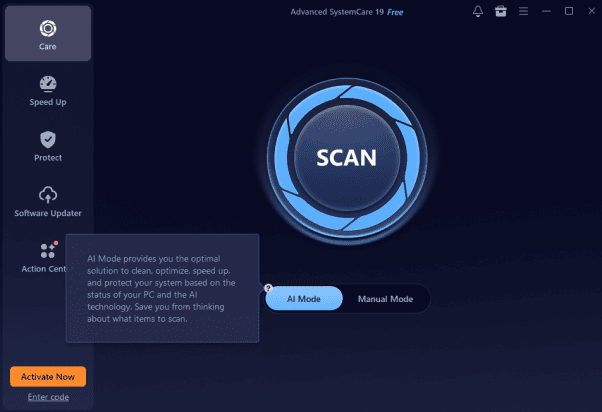
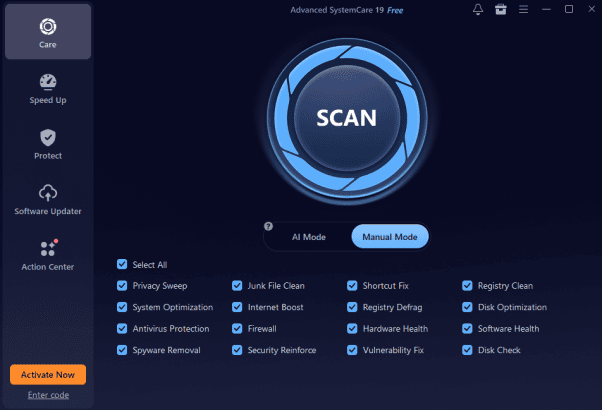
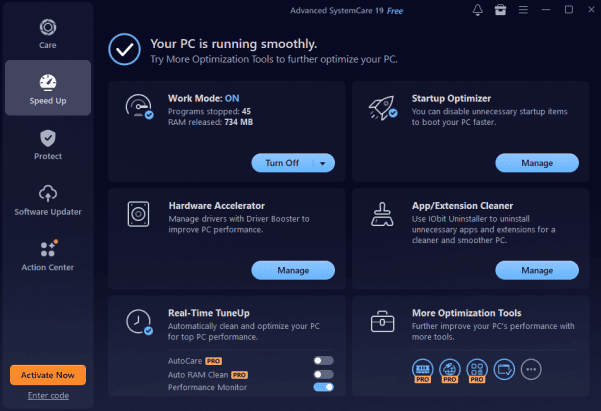
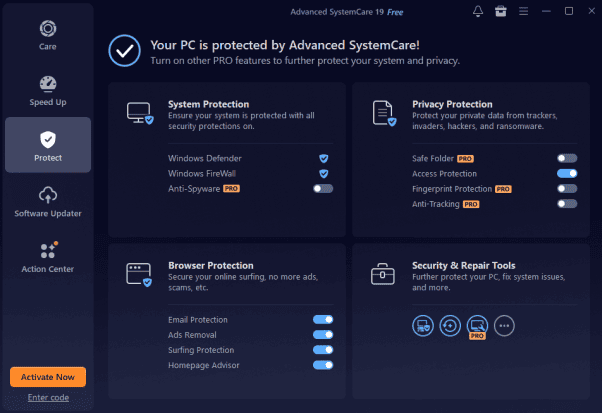
The interface also deserves credit. Everything was clearly organized, so I never felt like I needed to learn complicated settings before using it. More importantly, it helped me stay consistent with my maintenance routine.
The Results Didn’t Appear Overnight
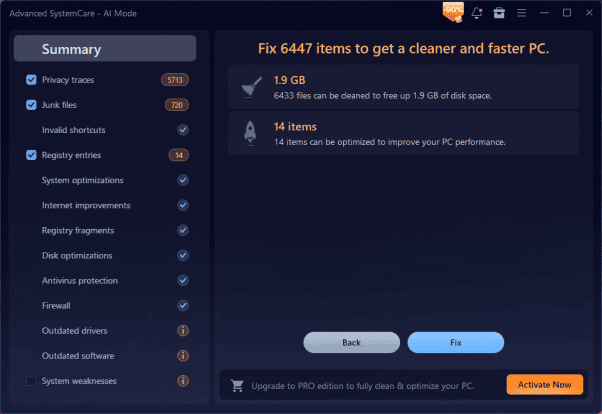
I wasn’t expecting miracles after the first cleanup. For the first few days, I barely noticed any difference. But after two or three weeks of following the same routine, my computer started behaving differently. Windows reached the desktop much faster. Applications opened more quickly after startup. The system felt lighter and more responsive throughout the day.
The biggest improvement wasn’t just the startup time itself—it was the fact that I could actually begin working almost immediately instead of waiting for background processes to finish.
Why Regular Maintenance Makes a Difference
Before this experience, I only thought about maintaining my computer when something went wrong. If it was running slowly, I’d look for a quick fix. If everything seemed fine, I’d leave it alone. Now I look at it differently.
Just like a car needs regular servicing, a computer benefits from small maintenance tasks performed consistently. Temporary files, browser cache, old update files, and unnecessary startup programs gradually build up over time. You don’t notice the impact immediately, but after a few months, the difference becomes obvious.
Keeping those things under control helps Windows perform more efficiently without changing any hardware.
A Windows Cleaner Fits Into My Routine
I also appreciate having a reliable Windows cleaner like Advanced SystemCare, because it simplifies tasks that I’d otherwise have to perform manually. Rather than opening several different Windows settings to clean temporary files, manage startup items, or remove unnecessary system clutter, I can complete those jobs much more quickly.
It isn’t about making unrealistic performance claims. It’s simply about keeping the operating system organized so it continues running smoothly over time. That approach has worked much better for me than waiting until my PC becomes frustratingly slow.
Pros and Cons
Pros
Cons
Final Thoughts
Looking back, I’m glad I didn’t rush out and buy a new computer. The real issue wasn’t outdated hardware. It was years of accumulated clutter and small maintenance tasks that I’d ignored for far too long.
Building a simple daily routine and using Advanced SystemCare, this PC cleaner helped me stay on top of those tasks without making the process complicated. Features like AI-powered scanning, startup optimization, junk file cleanup, and privacy protection fit naturally into my routine and made regular maintenance much easier.
If your computer has gradually become slower over time, it may be worth trying a reliable PC cleaner before assuming you need new hardware. In my experience, building a simple maintenance habit made all the difference.
