
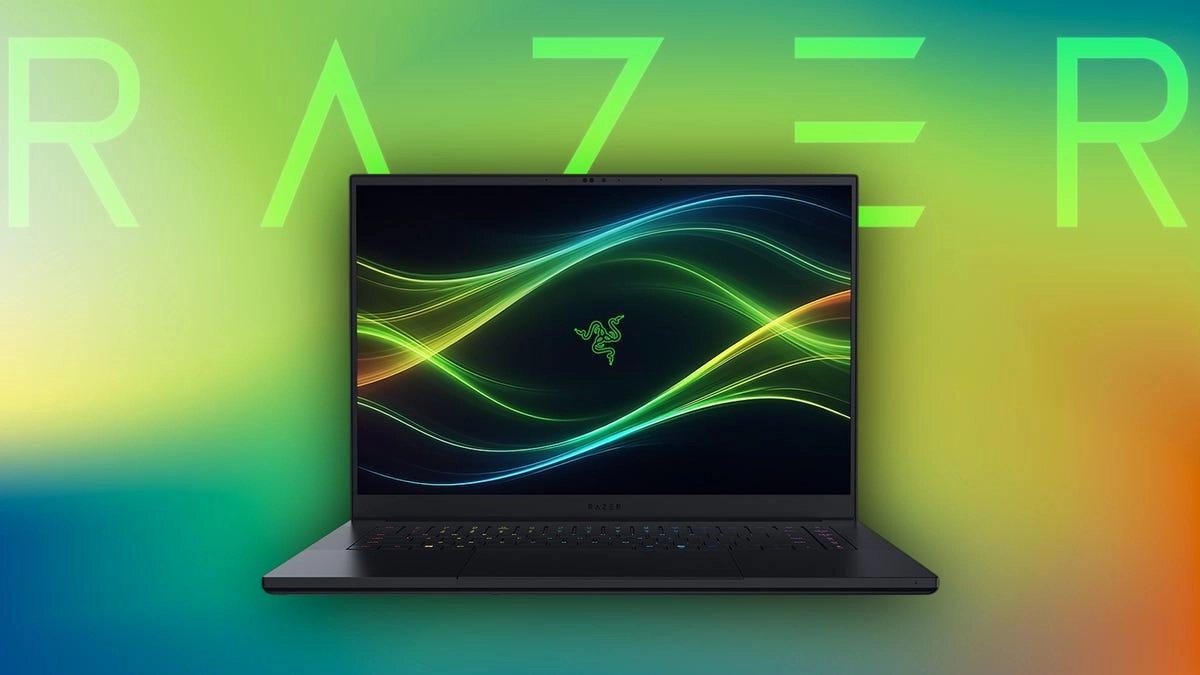
When most people hear the name Razer Blade 14, they immediately think of gaming. After all, Razer has built its reputation by creating premium gaming hardware for enthusiasts. However, today’s powerful gaming laptops are no longer limited to playing games. They have become capable creative workstations that can handle demanding professional applications, including video editing, motion graphics, animation, visual effects, and 3D rendering.
The Razer Blade 14 is one of the best examples of this evolution. Its combination of powerful AMD Ryzen processors, NVIDIA GeForce RTX graphics, fast SSD storage, and premium display makes it appealing not only to gamers but also to video editors, filmmakers, photographers, architects, engineers, and 3D artists.
But is it actually good enough for professional creative work, or is it still primarily a gaming laptop? Let’s take a detailed look at how the Razer Blade 14 performs in video editing and 3D rendering workflows.
Why Creative Work Requires Powerful Hardware
Creative software places unique demands on computer hardware.
Editing high-resolution video involves decoding large media files, applying effects, color grading, rendering previews, and exporting completed projects. Similarly, 3D rendering requires processing millions of polygons, textures, lighting calculations, physics simulations, and complex animations.
These tasks depend on several key components working together efficiently:
A fast multi-core processor speeds up rendering and encoding.
A powerful GPU accelerates effects, rendering, and viewport performance.
Large amounts of memory improve multitasking.
High-speed SSD storage reduces loading times for media and project files.
The Razer Blade 14 combines all of these elements into a compact package.
Multi-Core Processing Power
Modern AMD Ryzen processors provide excellent performance for professional applications.
Video editing software frequently utilizes multiple CPU cores when rendering timelines, generating previews, and exporting finished projects.
The Blade 14’s processor allows editors to work more efficiently with complex projects while reducing waiting times during rendering.
Large multicam projects, high-resolution footage, and lengthy export sessions all benefit from modern multi-core performance.
For creators working under deadlines, these time savings quickly become valuable.
NVIDIA RTX Graphics Accelerate Creative Applications
One of the biggest strengths of the Blade 14 is its dedicated NVIDIA GeForce RTX graphics.
Unlike integrated graphics, RTX GPUs significantly accelerate creative workloads.
Video editing applications use GPU acceleration for timeline playback, transitions, color correction, effects processing, and final exports.
3D applications utilize RTX hardware for viewport rendering, ray tracing, lighting calculations, texture previews, and animation playback.
The result is a noticeably smoother editing experience, especially when working with demanding projects.
Performance in Popular Video Editing Software
The Blade 14 performs well across many of today’s leading editing applications.
Adobe Premiere Pro
Premiere Pro benefits from both powerful processors and dedicated RTX graphics.
The Blade 14 handles multiple video layers, effects, transitions, and color grading efficiently.
Timeline navigation remains smooth, while GPU acceleration significantly improves rendering performance.
Exporting projects is also noticeably faster than on laptops using integrated graphics.
DaVinci Resolve
DaVinci Resolve relies heavily on GPU acceleration.
The Blade 14’s RTX graphics allow editors to work with advanced color grading, Fusion effects, noise reduction, and high-resolution timelines more comfortably.
Playback remains responsive, even when projects become increasingly complex.
Final Cut Pro Alternative Users
Although Final Cut Pro is exclusive to macOS, creators moving to Windows often choose software like Premiere Pro or DaVinci Resolve.
The Blade 14 provides enough processing power to deliver a professional editing experience using these industry-standard alternatives.
Handling 4K Video Editing
Many creators now work with 4K footage as a standard.
The Blade 14 handles high-resolution editing impressively.
Importing media remains fast.
Timeline playback is generally smooth.
Applying transitions feels responsive.
Rendering previews takes less time.
Export speeds remain competitive thanks to the combination of Ryzen processing power and RTX graphics acceleration.
Editors working with compressed 4K formats will find the laptop more than capable of handling everyday production work.
Performance in 3D Rendering
The Blade 14 is equally capable when handling professional 3D workloads.
Applications such as Blender, Autodesk Maya, Cinema 4D, and 3ds Max benefit significantly from dedicated RTX graphics.
Modeling remains responsive.
Viewport navigation feels smooth.
Lighting adjustments update quickly.
GPU rendering dramatically reduces waiting times compared to CPU-only systems.
Artists working with architectural visualization, product design, character modeling, or animation will appreciate the available graphics power.
Ray Tracing for Creative Projects
The RTX graphics inside the Blade 14 aren’t only useful for gaming.
Professional rendering engines increasingly use hardware-accelerated ray tracing to create realistic lighting, reflections, shadows, and global illumination.
Rendering scenes with RTX acceleration can dramatically shorten production times while improving visual quality.
For freelancers and professionals, faster rendering directly translates into greater productivity.
AI-Powered Creative Features
Modern creative software increasingly relies on artificial intelligence.
Applications now use AI for:
Automatic object selection
Background removal
Noise reduction
Image enhancement
Scene detection
Frame interpolation
Speech transcription
Upscaling
The RTX hardware inside the Blade 14 accelerates many of these AI-powered tools, allowing them to complete tasks more quickly than systems without dedicated graphics.
As AI continues becoming more integrated into creative software, this advantage becomes increasingly valuable.
Display Quality for Creative Professionals
Editors and designers spend countless hours looking at their displays.
The Blade 14 provides a sharp, vibrant screen suitable for creative work.
High resolution improves workspace clarity.
Strong brightness supports editing in different environments.
Accurate colors help maintain consistency during photo and video editing.
Wide viewing angles make collaboration easier.
Although dedicated professional monitors remain preferable for final color grading, the built-in display performs well for most editing workflows.
Storage Speed Improves Workflow
Creative projects often involve hundreds of gigabytes of media files.
Fast NVMe SSD storage significantly improves workflow efficiency.
Large projects load quickly.
Applications launch almost instantly.
Media files transfer rapidly.
Cache files generate faster.
Overall responsiveness remains excellent, even when working with large libraries of high-resolution footage.
Multitasking Performance
Professional creators rarely use only one application.
A typical workflow may involve:
Video editing software
Photo editing tools
Audio production software
Cloud storage synchronization
Web browsers
Communication platforms
External monitoring tools
The Blade 14’s powerful processor and memory capacity allow multiple demanding applications to run simultaneously without major slowdowns.
This improves productivity throughout the workday.
Portability for Mobile Creators
One advantage often overlooked is portability.
Many creative professionals work from multiple locations.
Filmmakers edit on location.
Photographers travel between shoots.
Architects visit construction sites.
Designers work remotely.
The Blade 14’s compact 14-inch design makes transporting workstation-level performance remarkably convenient.
Instead of carrying a heavy desktop replacement, creators can take professional hardware almost anywhere.
Battery Life During Creative Work
Creative applications consume considerable power.
While the Blade 14 offers respectable battery life during general productivity tasks, intensive editing and rendering naturally reduce battery runtime.
For maximum performance, especially during rendering or exporting large projects, working while connected to AC power is recommended.
This ensures the processor and graphics card operate at their full potential.
Who Should Consider the Razer Blade 14?
The Blade 14 is particularly well suited for:
Video editors
YouTubers
Filmmakers
Photographers
Graphic designers
Motion graphics artists
Architects
3D modelers
Game developers
Engineering professionals
It offers enough power for demanding creative workflows while remaining portable enough for everyday travel.
Are There Any Limitations?
Although the Blade 14 performs exceptionally well, it isn’t perfect.
Its premium design comes with a premium price.
Users working on extremely large studio productions involving complex 8K workflows or massive CGI scenes may eventually benefit from larger desktop workstations with more upgrade flexibility.
Similarly, creators requiring extremely color-critical workflows may still prefer pairing the laptop with a professional external display.
For the vast majority of freelancers, independent creators, and creative professionals, however, these limitations are relatively minor.
Final Verdict
The Razer Blade 14 is far more than a gaming laptop. Its powerful AMD Ryzen processor, NVIDIA GeForce RTX graphics, fast NVMe SSD storage, and high-quality display make it an excellent choice for video editing, 3D rendering, animation, photography, and other demanding creative workloads. It handles applications such as Adobe Premiere Pro, DaVinci Resolve, Blender, Maya, and Cinema 4D with confidence, delivering smooth editing, responsive viewport performance, and significantly faster rendering through GPU acceleration.
What makes the Blade 14 especially appealing is its ability to combine professional creative performance with exceptional portability. Instead of carrying a bulky workstation, creators can enjoy desktop-class capabilities in a sleek 14-inch laptop that also excels at gaming. If you’re searching for a premium Windows laptop capable of handling both entertainment and professional production work, the Razer Blade 14 is one of the strongest all-around choices available.
