
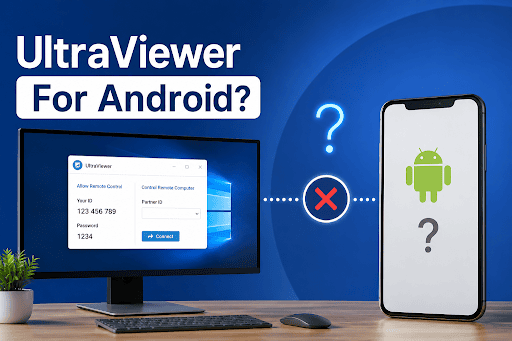
Looking for UltraViewer for Android? Here’s the Truth
UltraViewer is a safe and secure remote desktop application that lets you log into and take control of another Windows computer remotely over the Internet. Commonly used for technical support, remote work, online learning, or helping friends or family with computer problems.
It’s a popular application, so many will be looking to get a mobile version of UltraViewer, such as UltraViewer download APK, UltraViewer app download APK, UltraViewer download APK latest version, etc. Unfortunately, many users are fooled into this. UltraViewer doesn’t support the Android operating system. The app version that has been released has never been officially released for Android, either as an APK or an App Store package. Don’t visit a website that promises one, as it’s not official.
This guide will tell you what UltraViewer is able to do, how to safely download and install UltraViewer on Windows, why Android APKs should be avoided, and what the alternatives are if you need to access a remote device on an Android device.
Is UltraViewer Available for Android? Everything You Need to Know
Currently, No. UltraViewer is available for Windows only.
The software is developed exclusively for the Windows operating system, including Windows XP, 7, 8, 10, and 11. There’s no official release for Android, iPhone, iPad, or other mobile versions as of the time of this writing.
This is where the following searches will not be official downloads:
- UltraViewer download Android APK
- UltraViewer app download APK
- UltraViewer APK download latest version
- UltraViewer download App Store
If you’ve downloaded an APK from a third-party site, be wary of it. Since UltraViewer doesn’t publish Android applications, these files are unofficial and cannot be verified by the developers. They may lead to malware, altered software, or privacy issues.
Why UltraViewer Is Still a Trusted Choice for Windows Remote Support
Not being an Android-supported platform doesn’t mean UltraViewer has lost favour as a remote desktop tool for Windows users, however, as it is simple, fast, and offers solid remote assistance tools.
Control Another Windows PC from Anywhere
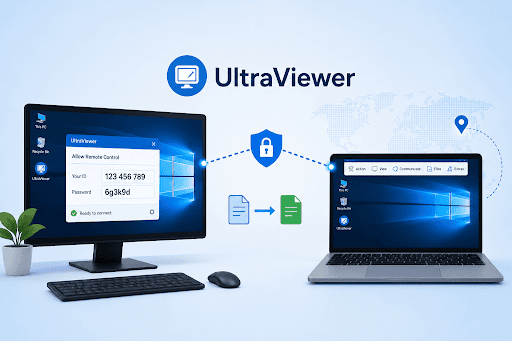
UltraViewer enables you to control a remote Windows computer using the keyboard and mouse. All of this can be done as if you were in front of the PC, whether it’s fixing problems with the software, changing system settings, or installing applications.
View the Remote Screen in Real Time
Be able to see what is happening on the other computer while assisting them. This can help to clarify solutions, walk users through tasks, or troubleshoot problems without confusion.
Transfer Files During a Remote Session
Looking to share a document, installer, or update? UltraViewer enables you to copy files from one connected computer to another without using another application.
Secure Connections with Partner ID and Password
Each remote session will have an individual Partner ID and password. This helps to keep unauthorized users from accessing it and ensures that only approved users can gain access to it.
Lightweight and Easy to Use
UltraViewer’s popularity is partly due to its user-friendly design. Installation is very quick, and most users can begin their first remote session with no knowledge of the technology.
Free for Personal Use
UltraViewer also has a free version for home users, students, and occasional remote support to provide the essential features for everyday remote support.
How to Safely Download & Install UltraViewer on Windows
- Go to the official website of UltraViewer.
- Download the updated version of UltraViewer.
- Run the Installer and install it.
- After installation, launch UltraViewer.
- Save your Partner ID and password for future remote sessions.
Lots of people also look for UltraViewer app download pc. This is just the official Windows desktop program, and that’s all UltraViewer has released.
Stay away from websites that offer Android APK downloads. As for mobile devices, there is no official version, so it’s impossible to verify the downloads, and they may expose your device to risk.
Frequently Asked Questions
Is UltraViewer able to remote control a Windows PC with an Android phone?
No. UltraViewer is not available for Android devices, so it is impossible to connect with or control a Windows PC using an Android cell phone with UltraViewer. If remote access via mobile is necessary, then you should choose some other applications like TeamViewer, AnyDesk, or AirDroid Remote Support.
What is an alternative to the UltraViewer remote desktop app on Android?
If you require remote support for your Android device, make sure you’re using software that is officially supported for the Android platform. Secure remote access and mobile-friendly functions are included in the dedicated mobile applications of the following platforms that provide remote support services: TeamViewer, AnyDesk, and AirDroid Remote Support.
How long can I use UltraViewer?
There is no time limit for UltraViewer. In the free and premium versions, remote connections can be maintained indefinitely without any disconnections.
Does UltraViewer work with firewalls?
Yes. UltraViewer is meant to be used on most ordinary networks and will not require manual configuration of the firewall or router. But firm corporate firewalls may necessitate administrator authorization, or network exceptions.
Final Verdict
UltraViewer is also a stable remote desktop app for Windows and is a great tool to access and manage another computer remotely. When you want to download UltraViewer for Android, UltraViewer download APK for Android or download the latest version of UltraViewer APK, you should be aware that there is no official APK for Android version.
Always download and install UltraViewer from the official site and never from unofficial sites from third party sources. For Android, there are better alternatives for remote assistance: Trusted tools such as TeamViewer, AnyDesk, or AirDroid Remote Support.
Let’s get going! Download the official UltraViewer Windows application or a trusted Android download that suits your remote access needs.
