
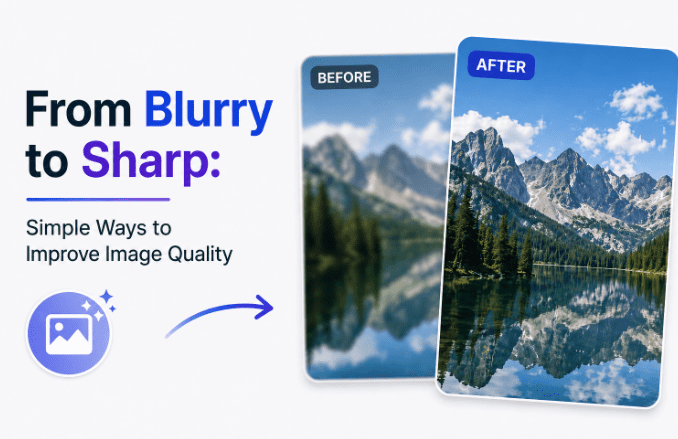
In today’s digital world, high-quality visuals matter more than ever. Whether you are sharing content on social media, listing products online, or preserving personal memories, clear and sharp images make a noticeable difference. The good news is that you no longer need to be a professional editor to enhance photo quality. With modern AI-powered tools, even beginners can get great results quickly and easily.
What Is Image Enhancement?
Image enhancement is the process of improving a photo’s overall quality by fixing common issues like blur, low resolution, noise or grain, and poor lighting or faded colors. It is different from creative editing. Editing involves filters, object removal, or artistic changes, while enhancement focuses purely on restoring and improving the technical quality of the original image.
Traditional enhancement required manual adjustments and a good deal of expertise. Today, AI tools handle most of that automatically, saving time and delivering consistent results without a steep learning curve.
Why Adobe Photoshop Is Not Always the Best Choice
Photoshop is powerful, but it is not beginner-friendly. It comes with a complex interface, hundreds of features most casual users will never need, and a significant learning curve. For simple tasks like sharpening a blurry photo or boosting resolution, Photoshop is often more than necessary. There are simpler, faster alternatives that get the job done without the frustration.
Simple Ways to Enhance Photo Quality
Online tools are convenient since they require no installation. However, they often lack advanced customization and may compress your output quality.
Built-in mobile and desktop editors are fine for basic tweaks like brightness or cropping, but they fall short when it comes to recovering lost detail or upscaling resolution.
AI image enhancers are the recommended option. They automatically sharpen details, reduce noise, improve color accuracy, and recover lost clarity with minimal input from the user. For anyone wondering how to enhance a blurry photo without technical knowledge, AI tools are the most practical answer.
Enhance Images Easily with Leawo Image Enhancer
Leawo Photo Enhancer is an AI-based desktop application built specifically for this purpose. It uses advanced algorithms to upscale resolution, refine details, adjust colors, and improve overall image quality automatically. The interface is clean and straightforward, and the one-click optimization feature means you do not need any prior editing experience to get professional-looking results.
You can also explore Leawo PhotoIns for additional AI-powered photo editing and enhancement features on both Windows and Mac.
How to use it:
- Open Leawo Image Enhancer
- Import your photo
- Select an enhancement mode
- Let the AI process the image
- Export the improved version
The whole process takes just a few minutes, even for complete beginners.
FAQs
Is Leawo Image Enhancer free? A free trial is available. The full version requires a paid license, but it is generally more affordable than a Photoshop subscription.
Does it work on both Windows and Mac? Yes, it is compatible with both operating systems.
How much improvement can I expect? Most users see noticeably clearer details, better colors, and improved sharpness, especially with low-quality or blurry source images.
Can it restore old or damaged photos? It works well for blurry and noisy images. Severely damaged photos may still have some limitations, but results are generally strong.
Conclusion
Improving image quality no longer means wrestling with complex software. AI-powered tools like Leawo Image Enhancer offer a faster and simpler way to enhance photo quality online and offline, with results that rival professional edits. If you have been putting off fixing your blurry or low-quality photos, now is the easiest time to start.
