
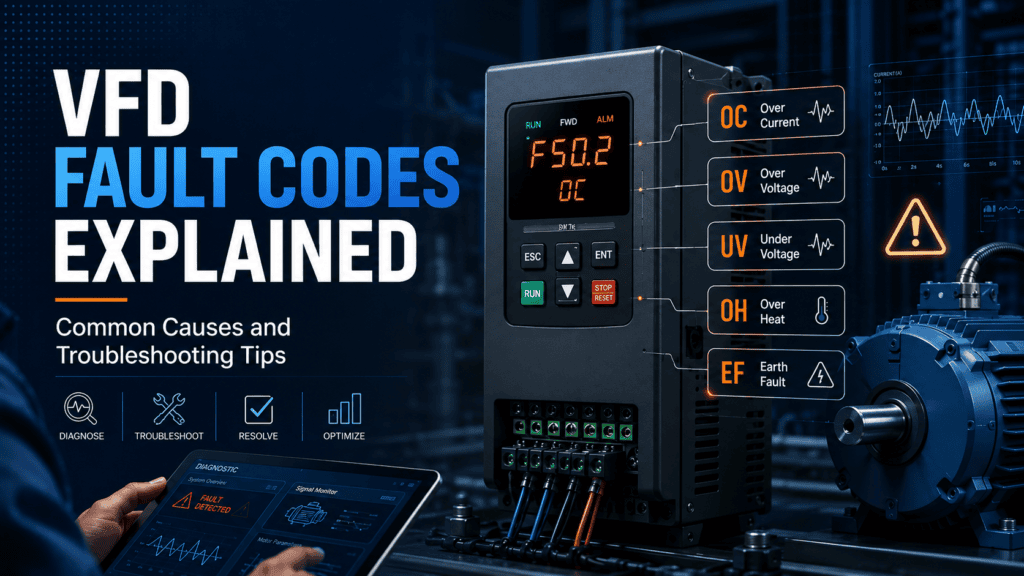
Your drive stops. A code flashes on the display. Now what?
Most engineers have faced a tripped variable frequency drive. Staring at a two- or three-digit code. No idea what it means. The good news is simple. Most fault codes trace back to a handful of causes. Learn these, and you can get the drive running again in minutes.
This comprehensive guide covers the most common VFD faults. What causes them? How to fix them. We’ll also look at Invertek drives. Their Optidrive range is one of the most used across UK industry
Why VFDs Trip in the First Place
A drive doesn’t fault for no reason. It trips to protect itself. Or the motor. Or the equipment it drives. Every fault code is a warning. Something has moved outside its safe range.
Common triggers include overcurrent, overvoltage, undervoltage, overheating, earth faults, and communication errors. Each has its own code. Each has its own fix. Learn these categories, and you will diagnose most faults fast.
Reading the Fault Code Correctly
Don’t guess. Check the manual for your drive model first. An Invertek VFD shows a code like “OC” for overcurrent or “OV” for overvoltage. A short description appears on the keypad too. Write the code down before you reset anything. If the fault comes back, you’ll need that record.
The Most Common Fault Codes
Overcurrent (OC)
This is one of the most common faults on any drive. It happens when current draw exceeds the drive’s rated output. A mechanical jam often causes it. Sometimes it’s short in the motor cable. Sometimes the motor is simply too small for the load.
Check the driven equipment first. Look for anything blocking a fan, pump, or conveyor. Then check the motor cable for damage. Still nothing? The motor may be undersized for the job.
Overvoltage (OV)
This fault usually shows up during deceleration. The motor acts like a generator as it slows down. It feeds energy back into the drive faster than the drive can handle. This happens a lot on high-inertia loads. Think large fans or centrifuges.
Extend the deceleration ramp time first. This gives the drive more time to deal with the returning energy. Still faulting? You may need a braking resistor to soak up the extra voltage.
Undervoltage (UV)
This one points to a supply problem. Check the incoming voltage at the drive terminals. A loose connection can cause it. So can a failing contractor. Or a dip in the mains supply.
Check for other heavy loads too. A large motor starting elsewhere in the building can cause a brief voltage dip. That’s sometimes enough to trip a sensitive drive.
Overheating (OH or OT)
Drives generate heat. They need airflow to shed it. An overheating fault usually means one thing. The cooling fan has failed. Or the heatsink is clogged with dust. Or the drive sits somewhere with poor ventilation.
Clean the heatsink. Check that the fan spins freely. If the drive sits inside a cabinet, check the cabinet temperature too. Ambient heat matters more than most engineers realise.
Earth Fault (EF or GF)
This points to current leaking to earth somewhere in the system. Usually it’s the motor windings. Sometimes it’s a damaged cable. Sometimes moisture has got into the motor terminal box.
Disconnect the motor. Test the insulation resistance with a megger. A low reading confirms the fault sits in the motor or cable, not the drive. Don’t keep resetting this fault. It often signals a real insulation problem.
Troubleshooting a Fault Step by Step
Start by recording the exact code. Note when it happened too. Was the drive starting? Running steady? Stopping? Timing narrows the cause fast.
Check the obvious things next. Loose terminals. Damaged cables. Blocked airflow. Mechanical binding. These cause more faults than people expect and take minutes to rule out.
Still stuck? Look at the parameter settings. Acceleration and deceleration times need to match your application. So does the current limit. So does the motor nameplate data. Get these wrong and you’ll see faults even when the hardware is fine.
Reset the drive last. Watch it closely afterwards. If the fault returns straight away, the problem is still there. If it runs fine for hours before tripping again, you’re likely dealing with something intermittent. A loose connection, maybe. Or a marginal component.
Why Drive Choice Matters
Not every drive handles faults the same way. Some give vague codes with little detail. Others do better. The Invertek Optidrive E3 shows clear fault descriptions on the keypad. It also keeps a diagnostic history. You can see previous faults, not just the current one. That speeds up troubleshooting a lot.
The Optidrive E3 also includes built-in protection as standard. Overcurrent. Overvoltage. Thermal faults. No extra hardware needed. For engineers running multiple sites, that consistency matters. You know what to expect from every drive on the network.
Preventing Faults Before They Happen
Regular maintenance stops most faults before they start. Clean heatsinks on a schedule. Check cooling fans too. Don’t wait for something to trip first. Inspect cable connections during routine visits, since vibration loosens terminals over time.
Review your parameter settings whenever the application changes. A motor swap. A load change. A process tweak. Any of these can affect what settings the drive needs. Keep them current, and you will avoid faults that come from outdated setup rather than real faults.
Keep a fault log for every drive. Patterns show up over time. A drive that trips on overvoltage every Monday morning might point to something else starting up on the same supply. You won’t spot that pattern without records.
Sourcing the Right Drive and Support
Choose a reliable drive from the start, and you will deal with far fewer fault codes. Industrial Motor Warehouse is an authorised UK stockist of Invertek Optidrive drives. They hold stock across the E3 range, from small single-phase units to larger three-phase models. Order before 2 pm on a working day and it ships the next day.
Not sure which drive suits your motor? Their technical support team can help you get the specification right. Get this right from the start, and you will see fewer faults, less downtime, and a drive properly protected for the job.
Frequently Asked Questions
What does it mean when a VFD keeps tripping on the same fault?
It usually means the root cause hasn’t been fixed. Only reset. Investigate the real cause instead of resetting again and again. Repeated resets can mask a growing problem like insulation breakdown.
Can dust cause a VFD to fault?
Yes. Dust blocks airflow through the heatsink. The drive overheats and trips. Regular cleaning stops this, especially in dusty environments.
Is it safe to raise the current limit to stop overcurrent trips?
Not without knowing why the fault happened first. Raising the limit can hide a mechanical problem or a motor mismatch. That leads to damage later.
How often should I check a VFD for maintenance?
Most sites benefit from a check every three to six months. Clean the heatsink each time. Dusty or high-vibration sites need checks more often.
Final Thoughts
Fault codes look intimidating at first. They’re not random, though. Learn the common ones. Check the obvious causes first. Keep a record each time something trips. Most faults come down to a handful of causes. Overcurrent. Overvoltage. Undervoltage. Heat. Earth leakage.
Choose a well-supported drive like the Invertek Optidrive E3. Source it from a stockist who can help with specification. Troubleshooting gets easier from day one. Fewer surprises. Faster fixes. A drive that keeps running the way it should.
